How to Set Up Online Banking with a Georgian Bank
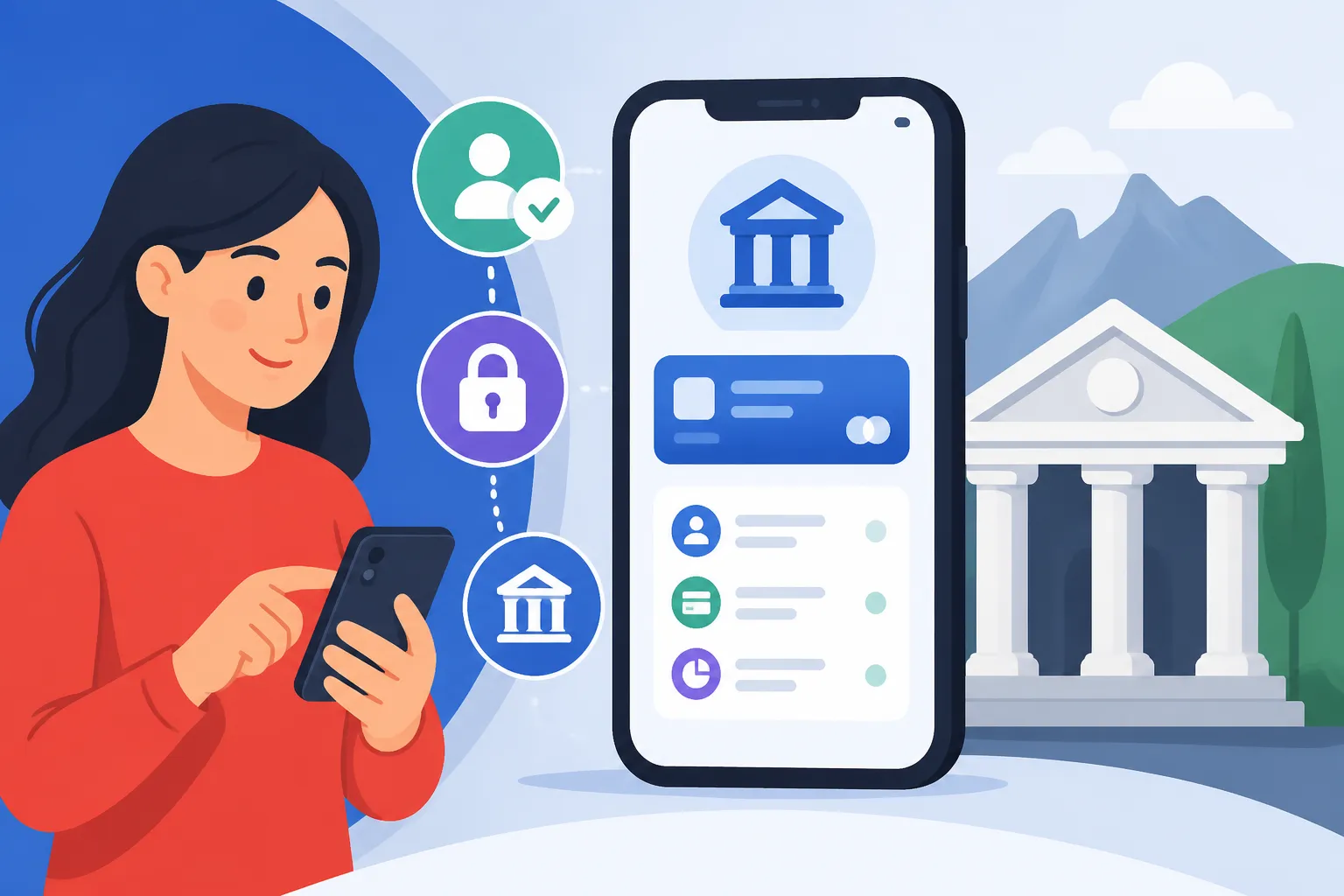
Alright, let's talk about one of those things that can feel deceptively simple, but sometimes throws expats for a loop here in Georgia: setting up online banking. You've just opened your bank account, likely after navigating some paperwork and perhaps a language barrier, and now you're faced with another digital hurdle. Don't sweat it, we've all been there! This guide is going to walk you through the nitty-gritty of getting your online banking squared away with a Georgian bank, ensuring you can manage your finances smoothly and confidently from your phone or laptop.
The Indispensable Role of Online Banking for Expats in Georgia
When you first land in Georgia, especially if you're coming from a country with highly sophisticated digital banking, the thought of managing your money might seem a bit daunting. You might wonder if local banks truly offer the same level of online convenience you're used to. Let me tell you, Georgian banks, especially the big ones, have made significant strides in their digital offerings. For us expats, online banking isn't just a nice-to-have; it's an absolute game-changer, simplifying countless aspects of daily financial life.
Beyond the ATM: Why Digital Access Matters for Daily Life
Think about your day-to-day existence here. You're renting an apartment, probably signing a How to Sign a Rental Contract and Pay a Deposit in Georgia, and suddenly you need to pay your electricity, water, and gas bills. Or perhaps you're grabbing groceries, hailing a Bolt taxi, or enjoying a delicious khinkali dinner. While cash is still king in many smaller establishments, and card payments are widespread, online banking takes things to a whole new level of convenience. Instead of trekking to a service center or an ATM, you can settle your utility bills, transfer money to your landlord, or pay for online purchases right from your sofa. This saves precious time and eliminates the minor frustrations that can accumulate when you're still finding your footing in a new country. It truly transforms the mundane into the manageable.
Bridging the Language Gap: English Interfaces and Support
One of the biggest anxieties for many newcomers is the language barrier, especially when dealing with something as crucial as money. The good news is that Georgia's leading banks understand the growing expat community and have invested heavily in multilingual support. You'll find that their online banking portals and mobile apps are almost universally available in English. This means you won't have to decipher Georgian script just to check your balance or make a transfer. Furthermore, their customer service, particularly the dedicated online chat or phone lines for digital banking issues, often has English-speaking agents ready to assist. This level of accessibility is a huge relief and empowers you to manage your finances independently without needing a Georgian-speaking friend to translate.
Financial Autonomy: Managing Everything on Your Own Terms
Ultimately, setting up and using online banking gives you a profound sense of financial autonomy. It's about being in control. No more waiting for bank opening hours, no more relying solely on ATMs, and certainly no more guessing about your account balance. With online banking, you can view your transaction history, set up recurring payments, apply for new services like a new card or even a loan (if you’re feeling brave!), and receive instant notifications for every transaction. This control is invaluable, especially when you're managing cross-border finances or trying to understand How Much Income Tax Will I Pay in Georgia in 2026?. Having all this information and functionality at your fingertips means you can respond quickly to any financial needs or queries, giving you peace of mind in your new home.
Navigating the Options: Choosing Your Georgian Bank's Online Services
When it comes to banking in Georgia, there are two titans that dominate the landscape, and a few smaller players. For expats, the online services offered by these banks are often the deciding factor. It’s not just about opening an account; it’s about choosing a bank whose digital infrastructure aligns with your lifestyle and financial needs.
The Major Players: TBC Bank vs. Bank of Georgia
For most expats, the choice boils down to either TBC Bank or Bank of Georgia. Both are robust, modern institutions with extensive branch networks and, crucially, excellent online and mobile banking platforms. While each has its loyal fan base, their digital offerings are largely comparable in terms of core functionality.
TBC Bank often gets praised for its sleek, user-friendly mobile app, which many find intuitive and aesthetically pleasing. It tends to have a slightly more "startup-y" feel, with features that are often rolled out with modern design in mind. Their online portal is equally well-designed, making navigation straightforward even for first-time users. They offer a comprehensive suite of services, from simple transfers to more complex investment options, all accessible through their digital channels.
Bank of Georgia, on the other hand, is the largest bank in the country and has an equally powerful online presence. Its mobile app and web portal are incredibly functional and reliable. Some users might find its interface a touch more traditional, but it’s packed with features and offers exceptional stability. Many expats appreciate its sheer scale and the familiarity that comes with such a dominant market player. You can find a deeper dive into their offerings in this guide on Understanding the Difference Between TBC and Bank of Georgia.
Here’s a quick comparison of what you might expect from their online platforms:
| Feature/Service | TBC Bank Online Banking | Bank of Georgia Online Banking |
|---|---|---|
| Interface & UX | Often described as modern, sleek, and intuitive. | Functional, robust, perhaps slightly more traditional. |
| Mobile App Rating | Generally high (4.5+ stars), favored by many for UX. | High (4.5+ stars), reliable and feature-rich. |
| Key Functions | Transfers (local/international), bill payments, card management, loan applications, savings, investments. | Transfers (local/international), bill payments, card management, loan applications, savings, investments. |
| English Support | Full English interface, English-speaking support via chat/phone. | Full English interface, English-speaking support via chat/phone. |
| Unique Features | Often first to integrate new digital payment methods or innovative services. | Extensive ATM network, wide corporate client base. |
| Foreign Currency | Easy to manage multi-currency accounts and transfers. | Robust foreign currency exchange and account management. |
What Features to Prioritize in an Online Platform
When you're choosing your bank, or evaluating the online services you've already signed up for, think about what truly matters to your expat life. Beyond the basic balance check, a good online banking platform for an expat in Georgia should offer:
- Easy International Transfers: This is huge. You’ll undoubtedly need to How to Transfer Money Into and Out of Georgia as an Expat. Look for platforms that offer competitive exchange rates and reasonable fees, or at least integrate seamlessly with services like Wise for outbound transfers.
- Multi-Currency Accounts: Being able to hold and manage Understanding the Lari (GEL) and Foreign Currency Accounts in Georgia is a lifesaver. You might receive payments in USD or EUR and want to convert them to GEL at a favorable time. Both TBC and Bank of Georgia allow you to Can I Hold a Foreign Currency Account in Georgia? and manage them through their online portals.
- Bill Payment Automation: The ability to set up recurring payments for rent, utilities, and subscriptions is invaluable. It takes the mental load off remembering due dates and ensures you don't miss anything.
- Card Management: Freezing/unfreezing cards, setting spending limits, or ordering a new card all online can save you a trip to the branch and provide peace of mind if your card goes missing.
- Customer Support Integration: Can you chat directly with a representative through the app or online portal? This is often quicker and more convenient than calling, especially if you're battling a language issue on the phone.
- Security Features: Two-factor authentication (2FA) via SMS or a dedicated authenticator app is a must. Biometric login (fingerprint/face ID) for mobile apps is also a great convenience and security booster.
Special Considerations for Freelancers and Small Business Owners
If you're one of the many expats taking advantage of Georgia's favorable tax regime for individual entrepreneurs, like applying for the How to Get Small Business Status (1% Tax) as a Freelancer in Georgia, your online banking needs might be a bit more complex. You’ll want a platform that makes managing business finances separate from personal ones as straightforward as possible. This often means:
- Clear Transaction Tagging: The ability to easily categorize expenses and income can be a huge help when it comes time to How to File Your Annual Tax Return in Georgia.
- Integrated Payment Solutions: If you’re accepting payments from clients, look for easy ways to generate invoices or receive transfers. While dedicated payment gateways might be separate, a strong online banking platform will integrate smoothly.
- Tax Reporting Tools: Some banks offer basic reports that can assist with understanding your financial position for tax purposes. While they won't replace a professional accountant or Taxes for Expats advice, they can certainly make the initial data gathering much easier.
- Business Account Management: Ensure the online portal handles both your personal and business accounts clearly, possibly with separate logins or easy switching between profiles. This is crucial for compliance and clarity.
Your First Steps: Activating and Setting Up Online Banking
So you've chosen your bank, opened your account, and now you're ready to dive into the digital realm. The process of activating and setting up online banking with a Georgian bank is usually quite straightforward, though the exact steps can vary slightly depending on whether you're doing it immediately or sometime after opening your account.
Activating at the Branch During Account Opening
The simplest and most common way to get your online banking set up is right there at the branch when you open your account. The bank representative will typically ask if you want to activate online banking. Always say yes! They will guide you through the initial steps, which usually involve:
- Providing Contact Information: You'll confirm your Georgian mobile number and email address. These are crucial as they will be used for two-factor authentication (2FA) – think SMS codes – and account communications. Make sure these are active and accessible to you.
- Initial Password Setup: The representative might help you create a temporary password or instruct you on how to set your first password on a secure terminal in the bank. They'll usually advise you to change this immediately upon your first successful login from your personal device.
- App Download & Basic Walkthrough: Often, they’ll encourage you to download the bank's mobile app right there and might even give you a quick visual tour of its basic functions. This is a great opportunity to ask any immediate questions you have about navigation or specific features.
- Security Token/Device (Less Common Now): In some cases, especially for older account types or business accounts, you might be given a physical security token or a special USB device for enhanced login security. However, most personal accounts now rely on SMS OTP (One-Time Password) or app-based authentication.
Registering for Online Services Independently
What if you didn't activate online banking at the branch, or perhaps you've been here a while and just haven't gotten around to it? No problem. You can usually register for online services independently, though it might require a quick visit back to the branch or an ATM for initial verification.
- Visit the Bank's Website: Navigate to the official website of your bank (e.g., tbcbank.ge or bankofgeorgia.ge). Look for a "Register" or "Sign Up for Online Banking" link, often near the login button.
- Provide Identification Details: You'll typically be asked to input your personal identification number (PIN) from your Georgian ID card (the 11-digit number), your account number, or your card number. This helps the system verify your identity.
- Mobile Number Verification: An SMS code will likely be sent to the mobile number registered with your account. This is a critical security step to ensure you are the legitimate account holder.
- Set Your Credentials: Once verified, you'll be prompted to create your username and password. Choose a strong, unique password – something a combination of upper and lower case letters, numbers, and symbols. Avoid using easily guessable information.
- ATM Activation (Occasionally Required): Some banks might require you to complete a final activation step at an ATM using your bank card, such as changing a PIN or confirming an online registration code. If this is the case, the online instructions will be clear.
The Initial Login and Security Setup
Your first successful login is a big step! Once you're in, take a moment to explore, but also prioritize security.
- Change Your Password: If you were given a temporary password at the branch or set a generic one during registration, change it immediately to something robust and personal.
- Review Security Settings: Look for a "Security Settings" or "Profile" section. Here, you can often:
- Enable/Disable 2FA: While usually mandatory, confirm it's active.
- Set up transaction limits: This can be a useful personal safeguard, especially for daily transfer amounts.
- Link other devices: If you plan to use multiple devices, understand how to safely link them.
- Familiarize Yourself with the Interface: Spend some time clicking around. Find where your balance is, how to view transactions, and where the payment options are. Most good online banking platforms, like those from TBC and Bank of Georgia, have logical layouts, but a few minutes of exploration can save you headaches later.
- Download the Mobile App: If you haven't already, download the official mobile app for your bank. The apps are often even more convenient than the web portal for quick checks and payments. Ensure you download it from official app stores (Google Play Store or Apple App Store) to avoid phishing scams.
Unlocking the Full Potential: Mastering Your Online Banking Portal
Once you've got your online banking set up, it's time to become a pro at navigating it. Georgian online banking platforms are quite powerful, offering a wide array of features that go beyond simply checking your balance. Mastering these tools will genuinely make your financial life in Georgia much easier.
Performing Day-to-Day Transactions with Ease
The core of online banking lies in its ability to simplify your routine financial tasks. You'll find yourself using these features almost daily.
- Transfers within Georgia: Need to pay your rent to a landlord? Send money to a friend? The local transfer function is incredibly easy. You'll typically need the recipient's bank account number (often an IBAN starting with GE) and their full name. Transfers between accounts at the same bank are usually instant, while transfers between different Georgian banks are generally fast, often within minutes, but can sometimes take a few hours. This is far more convenient than visiting an ATM or a bank branch for every payment.
- Bill Payments: This is a lifesaver. You can usually find a dedicated section for "Utilities" or "Bill Payments." Here, you'll select the service provider (electricity, gas, water, internet, mobile phone credit, even parking fines) and enter your subscriber ID. The system often pulls up your outstanding balance automatically. You can also set up recurring payments, ensuring you never miss a deadline. This is especially helpful if you're like me and sometimes let those paper bills pile up!
- Card Management: Your online portal is your control center for your debit and credit cards. You can block or unblock a card if you lose it (a quick panic button!), change its PIN, set daily spending limits, or even order a new card to be delivered. This immediate control is a significant security advantage and can save you a lot of stress.
- Statement and Transaction History: Forget waiting for paper statements. Your full transaction history is available online, usually filterable by date, type, or amount. This is vital for budgeting, reconciling your spending, and definitely for preparing any Understanding Income Tax and the Flat 20% Rate in Georgia declarations or just keeping an eye on your expenses.
Advanced Features: Foreign Currency and Investment Options
Georgian banks also offer more sophisticated features for those with diverse financial needs, particularly expats who often deal with multiple currencies.
- Multi-Currency Account Management: As an expat, you might receive income or have savings in currencies other than Georgian Lari (GEL). Both TBC and Bank of Georgia allow you to easily open and manage accounts in USD, EUR, GBP, and sometimes other currencies, all from your online portal. You can view balances, exchange currencies at real-time rates (though always compare with services like Wise for the best rates), and make transfers to and from these foreign currency accounts. This flexibility is key for managing your money efficiently across borders.
- International Transfers: Sending money back home or receiving funds from abroad is a common expat necessity. Your online banking platform will have a section for international transfers, often using SWIFT/IBAN. While convenient, keep an eye on exchange rates and fees. For large transfers or frequent international payments, many expats find that dedicated services like Wise (formerly TransferWise) offer better rates and lower fees than traditional bank transfers, especially for smaller amounts. You can often initiate the transfer through Wise and link it directly to your Georgian bank account for payout, making the process seamless.
- Savings and Investment Products: If you're looking to grow your money, Georgian banks offer various savings accounts, term deposits, and even brokerage services through their online platforms. You can typically open these accounts, transfer funds into them, and monitor their performance without stepping into a branch. This gives you avenues to explore long-term financial planning right from Georgia.
Mobile Banking: Your Bank in Your Pocket
The mobile app truly elevates the online banking experience. It’s not just a stripped-down version of the web portal; for many, it's the primary way they interact with their bank.
- Biometric Login: Most modern apps support fingerprint or face ID login, making access incredibly fast and secure.
- Instant Notifications: Get push notifications for every transaction – income, expenses, ATM withdrawals. This is fantastic for security, allowing you to quickly spot any unauthorized activity.
- QR Code Payments: Some apps integrate with local payment systems, allowing you to scan QR codes for quick payments at participating merchants or for certain services. This falls under How to Use Local Payment Systems and Cards in Georgia.
- Customer Chat: Many apps embed a direct chat function with customer support, which can be invaluable for quick queries or troubleshooting.
- Atm & Branch Locator: Lost in a new neighborhood and need cash? The app can quickly point you to the nearest ATM or bank branch.
In essence, your Georgian bank's online platform is designed to be a comprehensive financial hub. Take the time to explore every nook and cranny; you'll likely discover features that will simplify your expat journey even further.
Troubleshooting Common Online Banking Issues
Even with the most user-friendly interfaces, you'll inevitably hit a snag or two when dealing with online banking. It’s part of the expat experience in any country, and Georgia is no exception. Knowing how to troubleshoot common issues and where to turn for help can save you a lot of frustration.
Login and Password Difficulties
This is probably the most frequent issue people encounter. You're trying to log in, and it's just not working. Don't panic!
- Check Your Credentials: Double-check your username and password. Are you using the correct capitalization? Sometimes, the simplest errors are the culprits. Remember, your online banking login might be different from your card PIN.
- Forgot Password/Username: Both TBC and Bank of Georgia, along with other Georgian banks, have prominent "Forgot Password" or "Forgot Username" links on their login pages. Clicking these will typically initiate a recovery process that involves your registered mobile number and/or email. You'll usually receive an SMS or email with instructions or a temporary code.
- Two-Factor Authentication (2FA) Problems:
- SMS Not Arriving: If your SMS code isn't coming through, first check your phone's signal. If it's weak or you're roaming, it might be delayed. Ensure your registered Georgian mobile number is active and has credit. Sometimes, restarting your phone helps. If it persists, it might be an issue with the bank's SMS gateway or your telecom provider.
- Expired Code: SMS codes are time-sensitive. If you take too long to enter it, it might expire, and you'll need to request a new one.
- Account Locked: After several incorrect attempts, your account might be temporarily locked for security reasons. This is standard procedure. The system will usually tell you how long the lock is for (e.g., 30 minutes) or instruct you to contact customer support to unlock it. Be patient, or reach out to the bank directly.
Transaction Delays and Limits
You've made a payment, but it's not showing up, or you can't send as much money as you'd like.
- Processing Times: While many local transfers in Georgia are instant, especially between accounts at the same bank, interbank transfers can sometimes take a few hours. International transfers, especially SWIFT transfers, can take 3-5 business days depending on the banks and countries involved. Always check the expected processing time for the specific type of transaction you're making.
- Daily/Transaction Limits: For security purposes, banks impose daily or per-transaction limits on online transfers. If your transfer isn't going through, check if you've hit one of these limits. You can often adjust these limits yourself in your online banking security settings, but sometimes you'll need to contact customer support for a temporary increase, especially for large, one-off payments.
- Recipient Details: Double-check the recipient's bank account number and name. A single incorrect digit can cause a transfer to fail or be delayed. If a transfer fails due to incorrect details, the money usually bounces back to your account within a few business days.
- Insufficient Funds: This sounds obvious, but sometimes you might overlook a pending transaction or forget about a recurring payment that has just gone through. Always verify your available balance.
Technical Glitches and Customer Support
Sometimes, the issue isn't user error but a genuine technical glitch on the bank's side.
- Browser Compatibility/Cache: Try using a different web browser or clearing your browser's cache and cookies. Sometimes, old data can interfere with website functionality.
- App Updates: Ensure your mobile banking app is updated to the latest version. Older versions can sometimes have bugs or compatibility issues.
- Internet Connection: A stable internet connection is vital. If your Wi-Fi is spotty, switch to mobile data, or vice-versa.
- When to Contact Support: If you've tried all the above and still can't resolve the issue, it's time to reach out to the bank's customer support.
- In-App Chat: Most banks have a chat function directly within their mobile app or online portal. This is often the quickest way to get help, as you can communicate in English and provide screenshots if needed.
- Phone Support: The main customer service numbers for TBC and Bank of Georgia are usually listed on their websites and within their apps. They generally have English-speaking agents available.
- Branch Visit: For complex issues, especially those involving identity verification or significant changes, a visit to a branch might be necessary. It’s a good idea to bring your passport and Georgian ID card.
Remember, the bank's goal is to keep your money secure and your banking experience smooth. Don't hesitate to use their support channels; they are there to help you navigate these bumps in the road.
Integrating Your Georgian Bank with International Finance Needs
As an expat, your financial life rarely exists solely within the borders of one country. You're likely earning income from abroad, sending money home, or managing investments in different currencies. Your Georgian online banking setup can be a central part of this international financial ecosystem, especially when integrated with other tools.
International Transfers: Sending Money Home
The ability to send money efficiently and affordably to your home country, or to other international destinations, is paramount for most expats. Your Georgian bank's online portal will offer international transfer services, usually via SWIFT.
- Bank-to-Bank Transfers: You can initiate a SWIFT transfer directly through your online banking. You'll need the recipient's full bank details: their bank's SWIFT/BIC code, their full name, address, and their IBAN or account number. While convenient, SWIFT transfers can sometimes be slow (3-5 business days is typical) and carry higher fees, plus potentially unfavorable exchange rates set by the bank. This is where services like Wise come into play.
- Leveraging Third-Party Services: For many expats, third-party money transfer services are a far superior option for international remittances. Wise, for example, is incredibly popular due to its transparent fees and use of the mid-market exchange rate. Instead of sending money directly through SWIFT, you would typically initiate a transfer with Wise, funding it from your Georgian bank account via a local transfer. Wise then pays out to your recipient in their local currency from their own local accounts, cutting out expensive international wire fees and delays. This approach is often faster and significantly cheaper, making it the preferred method for many, and is perfectly compatible with your Georgian online banking platform.
Managing Foreign Currency Accounts
Having multi-currency accounts accessible through your Georgian online banking platform is a huge advantage for expats. As we touched on earlier, both TBC and Bank of Georgia allow you to hold balances in various currencies like USD, EUR, and GBP.
- Receiving International Payments: If you're a freelancer working for international clients or receiving a pension from abroad, you can often instruct senders to transfer funds directly into your USD or EUR accounts at your Georgian bank. This saves you an initial conversion step and potentially preserves the value of your earnings until you need to convert to GEL.
- Strategic Currency Exchange: Your online banking portal will allow you to convert funds between your different currency accounts. This means you can monitor exchange rates and choose to convert your foreign currency into GEL when the rate is most favorable, rather than being forced to convert at an unfavorable rate simply because you need local currency immediately. This is particularly useful if you're dealing with a volatile currency market.
- Avoiding Multiple Bank Accounts: With robust multi-currency options, you might not need to maintain separate bank accounts in your home country just to manage different currencies, simplifying your overall financial setup. This helps in centralizing your financial overview, which is great when dealing with things like Filing Your Tax Return with the Revenue Service in Georgia: The Complete Walkthrough.
The Role of Third-Party Services like Wise
Let's expand a bit more on how services like Wise fit into your Georgian online banking picture. They aren't meant to replace your local bank, but rather to complement it, especially for cross-border transactions.
- Cost-Effectiveness: When sending money internationally, the fees and exchange rates offered by traditional banks can eat into your funds. Wise uses a different model, often allowing you to save a significant amount, especially on recurring transfers.
- Speed and Transparency: Wise transfers are often much faster than SWIFT, with transparent tracking every step of the way. You always know exactly how much your recipient will receive and when.
- Integration: While Wise operates independently, it integrates seamlessly with your Georgian bank. You simply set up your Wise transfer, select "Bank Transfer" as your payment method, and then log into your Georgian online banking to send the GEL amount to Wise's local account. The process is smooth and secure.
- Borderless Accounts: Wise also offers its own "Borderless Account" which allows you to hold balances in dozens of currencies and get local bank details for countries like the US, UK, and EU. This can be fantastic for receiving payments directly into those accounts, which you can then send to your Georgian bank at your convenience.
By effectively integrating your Georgian online banking with specialized international services like Wise, you create a powerful, flexible, and cost-effective financial hub that caters perfectly to the dynamic needs of an expat in Georgia. It ensures your money moves where it needs to go, when it needs to go, without unnecessary hassle or expense.
Disclaimer
Please remember that this guide provides general information based on current practices and personal expat experiences in Georgia. Banking regulations, features, fees, and the availability of services can change. It is always advisable to check the most up-to-date information directly with your chosen bank, the official Georgian Revenue Service, or consult with a qualified financial advisor for personalized advice. While every effort has been made to ensure accuracy, the author and publisher are not liable for any outdated information or potential errors.